Clear Reader — Natural Text-to-Speech Browser Extension
Clear Reader, a lightweight Manifest V3 browser extension for ad-free, natural text-to-speech with zero backend overhead.
Overview & Problem Statement
Modern web articles are often cluttered with intrusive ads, video overlays, and sidebars. While text-to-speech (TTS) extensions exist, many rely on robotic voices, require expensive monthly subscriptions, or read out irrelevant navigation menus and ad banners instead of the core article content.
The Goal: Build a lightweight, local-first browser extension using Manifest V3 that delivers smooth, natural reading speeds, gender-filtered voice preferences, and automated ad-stripping without latency or third-party API fees.
Key Features
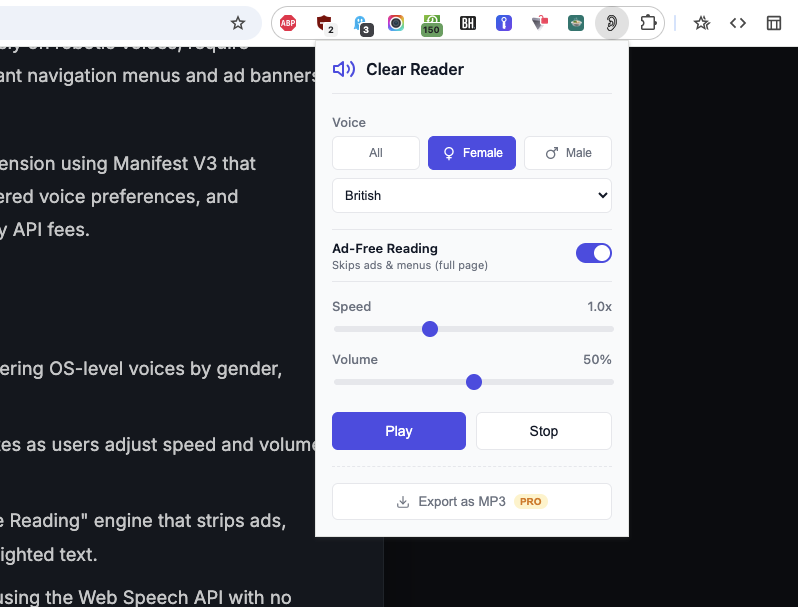
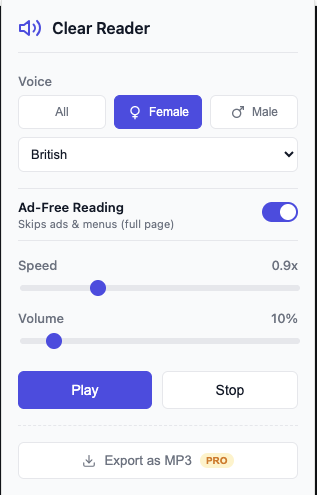
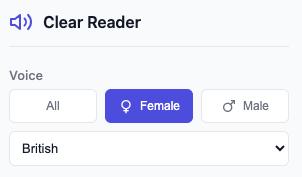
- Curated Voice Selection: A refined dropdown filtering OS-level voices by gender, eliminating low-quality system defaults.
- Real-Time Audio Control: Instant playback updates as users adjust speed and volume sliders.
- Smart Content Extraction: A toggleable "Ad-Free Reading" engine that strips ads, nav bars, and popups while preserving user-highlighted text.
- Zero Latency: Runs 100% locally in the browser using the Web Speech API with no cloud servers or data tracking.
Technical Challenges & Solutions
Challenge 1: Bypassing the Chrome Speech Engine Freeze (~15-Second Timeout)
The native window.speechSynthesis API in Chromium browsers suffers from a known issue where long blocks of text cause the speech engine to silently time out and halt after 15 seconds.
Solution: Implemented a background Sentence Chunking Engine using Regex parsing. The text is broken into a queue of individual sentences, chaining playback via the onend event to guarantee unbroken audio regardless of article length.
Challenge 2: Ad Stripping Without Breaking Page Layouts
Removing ads directly from the live DOM can break a webpage's visual structure or cause dynamic script errors.
Solution: The content script creates an in-memory clone of the article container (e.g., <article> or <main>), strips out unwanted selectors (like .ad-banner, nav, and footer) inside the clone, and feeds only the cleaned text string to the speech queue.
Impact & Results
Clear Reader delivers a premium, distraction-free reading experience packed into an extension that is under 100KB in size. By leveraging local OS synthesis over cloud TTS providers, the tool remains completely free to run and highly privacy-focused.
Project Gallery